


Turbo AI - Notetaker
4.7896.00 Reviews
App Specs
- Version
- 1.5.3
- Updated On
- License
- Free
- Downloads
- 1,000,000+
- Developer
- Turbo AI
- Categories
- Education
- Platform
- Android, iOS
Screenshots
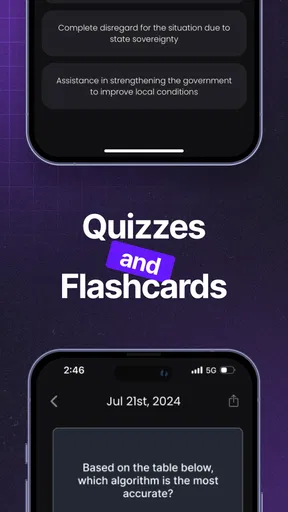
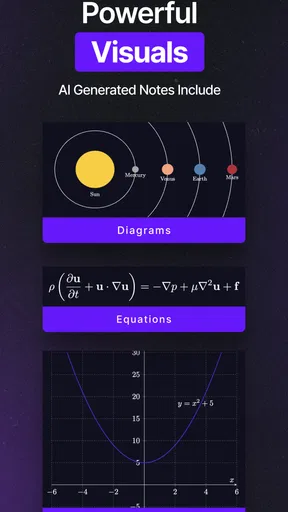
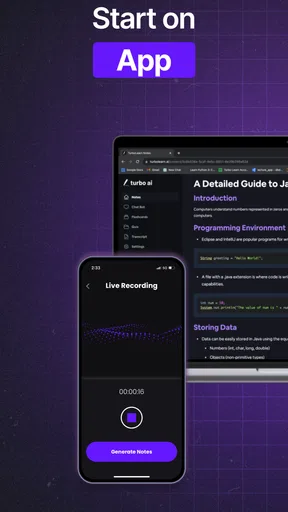
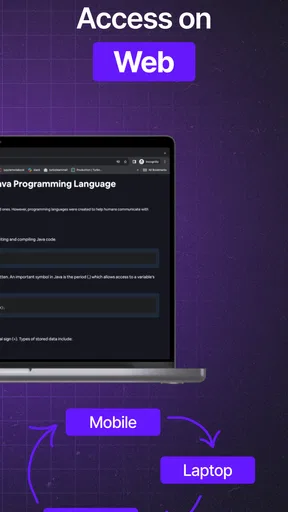
 Analysis by AppCompare
When I’m in a lecture or meeting, the hardest part is often deciding whether to listen or write. A note-taking tool is only useful if it reduces that split attention rather than adding another task. Turbo AI - Notetaker is an education app from Turbo AI that brings transcription and AI-generated study material into that problem. I’d consider it for classes, interviews, and work discussions where a written record is useful, while remembering that a generated transcript or summary still needs a human check.
How Turbo AI Fits into a Connected Note-Taking Routine
I use this section to think through the practical role of a network connection in a note-taking routine: when I would prepare ahead, what I would do if a session is interrupted, and how I’d decide which conversations are worth processing. That perspective matters most when a lecture or meeting cannot simply be repeated. Next, I’ll look at how the phone’s setting and placement can shape the usefulness of the notes.
Before the lecture: plan around the connection
A sensible way to use an app like this is to prepare the session before the speaker starts. I’d open the note-taking screen, make sure the phone has a reliable connection, and keep the device positioned where it can pick up speech without getting in the way. That small routine matters: if the app needs network access for a task, a weak signal can interrupt the part of the workflow you care about most. I would not make it the only record of a high-stakes meeting unless I had checked that it was working.
For a student, that could mean using it to capture a lecture and then turning the resulting material into a revision aid. For a project group, it could help preserve decisions and action points while everyone stays focused on the discussion. In either case, I’d treat the generated material as a first draft, not as an unquestionable record. Names, specialist terms, numbers, and brief comments are the details most worth checking against what I remember or any notes I made myself.
On the move: the phone is helpful, but not magic
Mobile note-taking is convenient when there is no laptop open, but the setting changes what I would expect from it. A quiet room and a phone placed near the speaker are much friendlier conditions than a crowded café, a moving train, or a meeting where several people talk over one another. That is not a special flaw unique to this app; it is a basic limitation of capturing speech on a phone. I’d choose a seat with a clear line to the speaker and avoid handling the phone throughout the session, since movement and background noise can make a transcript harder to review.
There is also a practical social question: recording a conversation may not suit every room or group. I would tell other participants and follow the rules that apply to the setting before starting. For private or sensitive conversations, I’d consider whether an AI note-taking service is appropriate at all, rather than assuming convenience is the only factor.
When a session goes wrong
If the connection drops or the app behaves unexpectedly, the most useful response is to protect the notes you can still make. I’d write down the meeting’s key decisions in a separate place, note the time of any interruption, and avoid assuming a missing section will reappear later. Once the app is responsive again, I’d check the session and its output before closing the task. This backup habit is especially worthwhile for lectures with material that will not be repeated or meetings where people leave with clear responsibilities.
Worth Reading Before You Choose

EA SPORTS FC Mobile 26 Is a Bigger Football Game, but It Takes Time

Flipboard Shows What News Apps Must Do Beyond the Feed

Switching to Android Auto Means Rethinking Your Driving Routine

Google Calendar Makes a Crowded Week Easier to Manage

Ludo King Makes the Most of the Minutes Between Plans

Baby Panda World Brings Quick Play to Modern Phones, but Its Game Library Feels Busy
That cautious approach also answers a common question: can I rely on it as a complete substitute for taking notes myself? I wouldn’t. A transcript can save effort, but it cannot guarantee that every word is captured correctly, and a summary may leave out context that matters to you. I’d use the app to reduce frantic typing, then add a few personal cues—such as why a decision was made or what I need to ask next—while the discussion is still fresh.
Be selective with data and review
Long recordings and repeated processing can be more than you need for a short conversation. A useful habit is to record only sessions where a lasting transcript or study aid has real value, then review the output promptly rather than letting a backlog build. For a quick reminder or a personal idea, a short typed note may be faster and simpler. For a lecture dense with concepts, a transcript and follow-up review may justify the extra steps.
It is also worth separating convenience from privacy. I would not put confidential work details, personal information, or sensitive conversations into an AI workflow without first understanding whether that use is suitable. The app’s usefulness comes from processing spoken material, so the content itself deserves consideration before recording. That is a good general rule for any connected transcription tool.
Where it sits among the alternatives
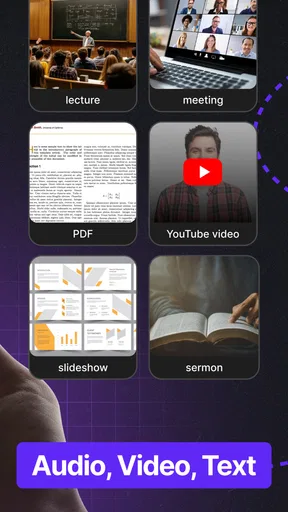
Compared with a basic voice recorder, Turbo AI aims to make the captured discussion more useful afterward by turning it into text and study-oriented material. A recorder can be a better choice when you only need audio and want a simple archive. A standard notes app is often better for short lists, personal reminders, or material you want to write in your own words. Manual notes also let you filter the conversation as it happens, which can be valuable when only a few points matter.
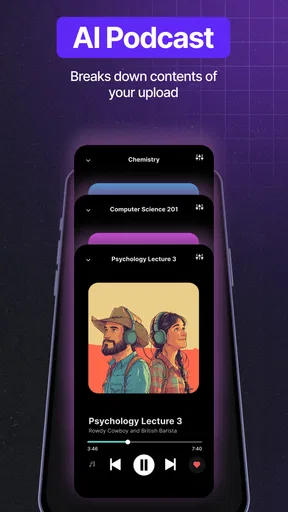
Where this app makes the strongest case is for people who regularly need to revisit spoken material and would benefit from summaries, flashcards, or quizzes rather than a plain recording. That does not mean it will suit every learner. If your classes depend on diagrams, equations, demonstrations, or visual cues, spoken notes alone may not preserve enough; I’d pair them with photos or handwritten annotations where appropriate. And if you prefer to make your own outline while listening, an AI-generated structure may feel like extra material to sort through.
The app is free to install, with in-app purchases listed from $7.49 to $99.99 per item. I’d try the free experience against a real lecture or meeting before paying for anything, and decide based on whether the finished notes actually save time. It is rated for Everyone, has a 4.8 average from around 268,000 ratings, and has been installed over a million times. Those figures suggest broad interest, but they cannot tell you whether its transcription style fits your voice, subject, or recording environment.
Turbo AI - Notetaker was released on August 5, 2024, and version 1.2.9 requires Android 8.0 or later. If you are choosing between devices, I’d check that your phone meets the operating-system requirement and leave enough time before an important session to test your routine. The practical question is less whether the app can produce notes in ideal conditions and more whether you can capture and review them reliably in the places you actually study or work.
Getting Started with Turbo AI - Notetaker
First things first, downloading the app was a breeze. Available on both Android and iOS, you can find it on the App Store or Google Play. Once installed, setting it up is straightforward. You’ll be greeted with a clean, user-friendly interface that’s refreshingly intuitive. No need to worry about a steep learning curve here!
Features That Make a Difference
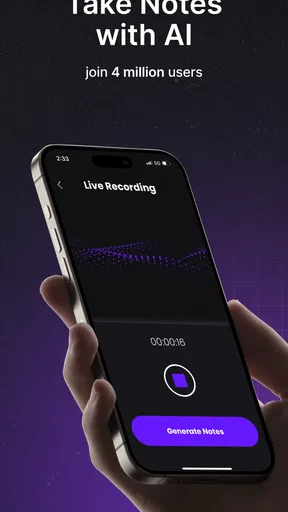
Now, let’s talk features. Turbo AI - Notetaker is packed with tools that make note-taking not just easy, but actually enjoyable. The voice-to-text feature is a game-changer. Just hit record, and the app transcribes your words into text almost flawlessly. It handles different accents and speech patterns with surprising accuracy, which is quite impressive.
Another standout feature is its organizational capabilities. Notes are automatically sorted by date and category. You can tag and label notes, making it super easy to find that one brilliant idea you jotted down weeks ago. And for those who love lists, the app supports both bullet and numbered lists, so your notes can be as structured as you like.
AI-Powered Insights
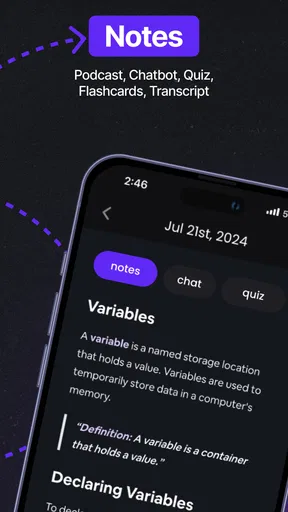
What sets Turbo AI - Notetaker apart from other note-taking apps is its AI-powered insights. After a note is taken, the app can summarize the key points for you. This feature is a lifesaver during long meetings or lectures. You get a concise summary without missing the important details, saving you tons of time.
Moreover, the AI not only summarizes but also suggests additional resources or related topics based on your notes. It’s like having a research assistant at your fingertips, providing a richer context for your ideas.
Sync Across Devices
In today’s digital age, syncing across devices is crucial. With Turbo AI - Notetaker, your notes are stored securely in the cloud, accessible from your smartphone, tablet, or even desktop. Imagine starting a note on your phone during your morning commute and finishing it on your laptop at work without missing a beat. It’s seamless and efficient!
User Experience and Interface
The design of the app is sleek and minimalistic, focusing on functionality without unnecessary clutter. The developers clearly prioritized user experience, ensuring navigation is smooth and intuitive. Whether you’re a tech newbie or a seasoned pro, you’ll find the app easy to navigate.
Customization options are also a nice touch. You can tweak the theme to suit your style, adjust text sizes, and choose from various color schemes, all enhancing the overall user experience.
Security and Privacy
With data breaches being a concern, it’s reassuring to know that Turbo AI - Notetaker takes security seriously. The app offers password protection for your notes and encrypts your data to keep it safe from prying eyes. Privacy is a priority, ensuring that your personal information remains just that—personal.
Final Thoughts
All in all, Turbo AI - Notetaker is a powerhouse of a note-taking app. It combines cutting-edge AI technology with a user-friendly interface, making it a must-have for anyone looking to enhance their productivity. Whether you’re a student, a professional, or just someone who loves to jot down ideas, this app has something for everyone.
So, if you’re tired of messy handwritten notes and want a smarter way to capture and organize your thoughts, give Turbo AI - Notetaker a spin. It might just become your new best friend in the digital world!
My connectivity verdict
I’d recommend it most to students and professionals who regularly revisit spoken material and have a dependable way to connect during their sessions. Its combination of transcription and study-oriented output can make review less laborious than replaying a full recording or rebuilding notes from memory. The trade-off is that a connected, AI-assisted workflow asks you to check both the capture and the finished result, especially when the discussion is important.
If you mostly need quick reminders, work in noisy spaces, or cannot risk missing a detail because of a network or recording interruption, a simple note-taking method—or a voice recorder used alongside handwritten backup—may be the safer fit. I see Turbo AI as a helpful second set of hands, not a replacement for attention, judgment, or a backup plan. Used with that expectation, it can make lectures and meetings easier to revisit without pretending that every captured word is automatically complete.
Pros
- Efficient voice-to-text conversion.
- User-friendly interface design.
- Seamless cloud sync feature.
- Customizable note organization.
- Supports multiple languages.
Cons
- Occasional transcription errors.
- Limited offline functionality.
- Requires a subscription for full features.
- No integration with third-party apps.
- Battery drain during extended use.
FAQs for Turbo AI - Notetaker
What is Turbo AI - Notetaker and how does it work?
Turbo AI - Notetaker is an advanced note-taking application powered by artificial intelligence. It assists users in organizing, summarizing, and retrieving notes efficiently. The app utilizes AI algorithms to categorize and suggest relevant tags, ensuring all your notes are easily accessible and well-organized.
Is Turbo AI - Notetaker compatible with both Android and iOS devices?
Yes, Turbo AI - Notetaker is designed to be fully compatible with both Android and iOS platforms. Users can download the app from the Google Play Store or Apple App Store, ensuring seamless functionality across different devices and operating systems.
Does Turbo AI - Notetaker require an internet connection to function?
While Turbo AI - Notetaker can work offline for basic note-taking, an internet connection is needed to utilize its AI-powered features fully. Features like cloud synchronization, AI-based search, and automatic tagging require online access to function optimally.
How secure is my data within Turbo AI - Notetaker?
Turbo AI - Notetaker places a strong emphasis on data security. The app uses end-to-end encryption to protect your notes from unauthorized access. Additionally, users can enable biometric authentication, such as fingerprint or face recognition, for added security.
Are there any subscription fees associated with Turbo AI - Notetaker?
Turbo AI - Notetaker offers a free basic version with limited features. For advanced functionalities such as enhanced AI capabilities, additional storage, and priority customer support, users can opt for a premium subscription, which is available on a monthly or yearly basis.


